
Your Entire Job Search, Organized

Most job seekers lose track after 20 applications. Career Cortex gives you a visual pipeline so you always know where every opportunity stands — and what to do next.
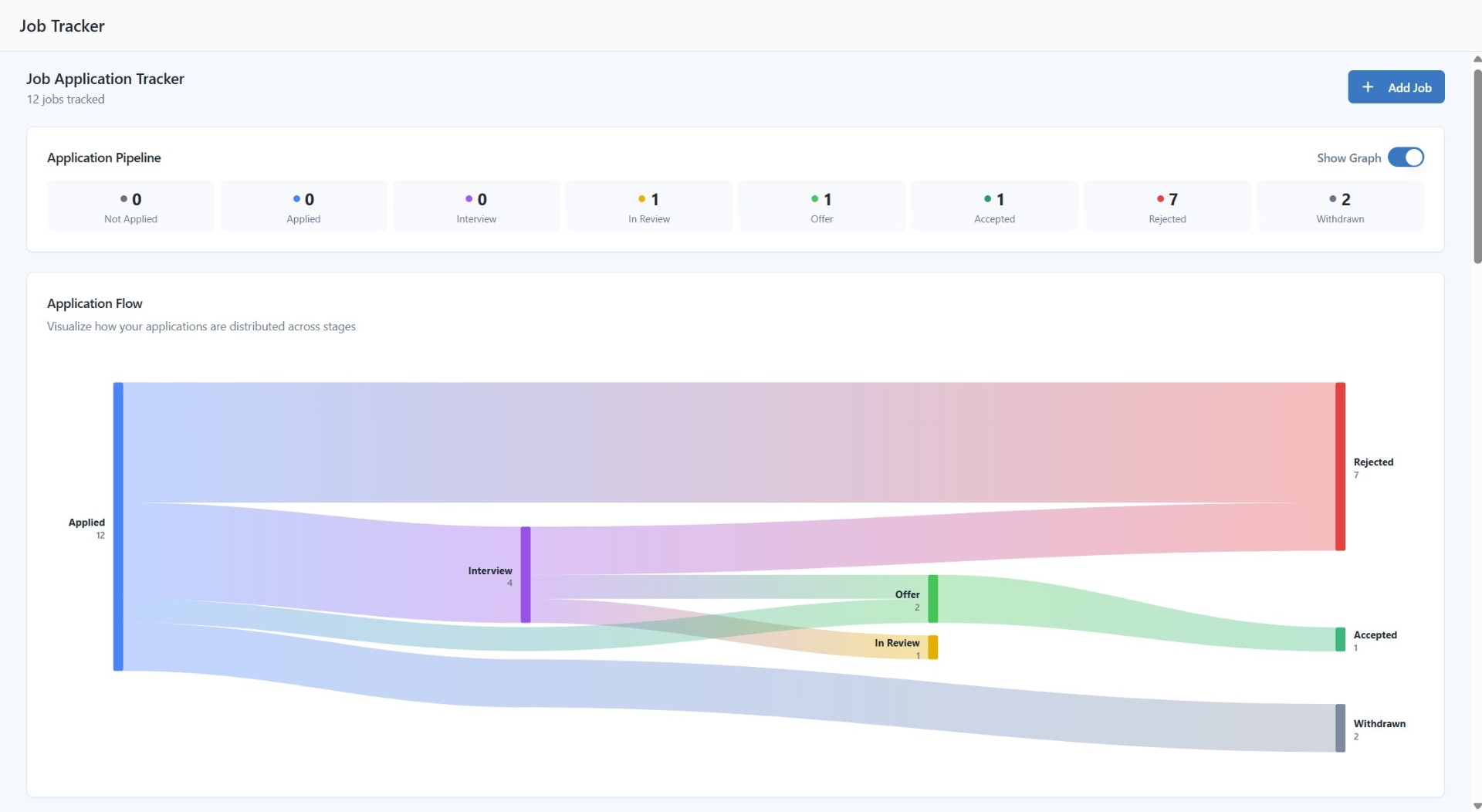
Job application tracker with visual pipeline showing applied, interview, and offer stages

How It Works

1

Add Your Applications

Add jobs manually or import from job descriptions you've analyzed.

2

Track Status Changes

Update status as you progress — applied, screening, interview, offer.

3

Stay on Top of Deadlines

Set next actions, add notes, and track interview dates so you never miss an opportunity.

Everything You Need to Stay Organized

One place for every application, every status, every next step.

Visual Pipeline

See all applications at a glance with an intuitive board view.

Smart Reminders

Set follow-up reminders so you never miss an interview or deadline.

Application Analytics

Track response rates, interview conversion, and identify what's working.

Timeline View

Complete history of each application with timestamps for every status change.

Notes & Organization

Add notes, contacts, and tags to each application. Customize your workflow.

Next Actions

Always know your next step with recommended actions for each application.

Why You Need a Job Application Tracker

The average job seeker applies to 100-200 jobs before landing an offer. Without a system, it's easy to lose track of where you've applied, miss follow-up deadlines, and forget which resume you sent where. A job tracker centralizes everything — status, interview dates, contacts, and notes — giving you a clear picture of your entire search at any time. Less stress, more focus on what moves you forward.

How to Manage Your Job Search Pipeline

Think of your job search like a sales pipeline: Applied → Screening → Interview → Offer → Accepted/Rejected. Understanding where applications sit helps you manage time and effort. Many applications stuck in 'Applied' but few moving to 'Interview'? Your resume might need optimization. Getting interviews but not offers? Focus on interview prep. Our tracker makes these patterns visible so you can adjust your strategy.

Job Search Organization Best Practices

Keep notes on every interaction — who you spoke with, what was discussed, follow-up items. Set reminders to follow up 1-2 weeks after applying. Track which resumes and cover letters you used for each application. This helps you identify which versions perform best and reference the right documents when preparing for interviews. Our tracker integrates with your saved resumes and cover letters.

From Spreadsheets to Smart Tracking

Spreadsheets get unwieldy fast. A purpose-built tracker offers visual pipeline management, automatic timeline tracking, and integrated analytics that spreadsheets can't match. Our job tracker is designed for the job search workflow — pre-built stages, smart status updates, and the ability to link applications to analyzed job descriptions and tailored resumes.

Frequently Asked Questions

Yes. Completely free with no limits on the number of applications you can track.

Add jobs manually or import from job descriptions analyzed with our Job-Targeted Optimization tool.

Yes. The tracker links to your analyzed jobs, tailored resumes, and cover letters. Access match scores and optimized documents from each application.

You can view and manage all tracking data within the dashboard.

Applied, Screening, Interview, Offer, Accepted, Rejected, and Withdrawn. Each tracks relevant dates and supports notes.

Take Control of Your Job Search

Stop losing track of opportunities. Start running your job search like a strategy.

Start Tracking Free